GCtronic Wiki
This wiki is intended to be a useful resource for all users that are playing with the all the robots designed by GCtronic.
Pages regarding the e-puck extensions designed by GCtronic will be also added here as soon as they will be available.
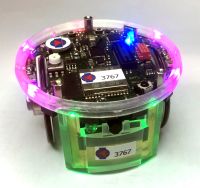
|
This is e-puck2, an evolution of the e-puck educational robot. Brochure. |
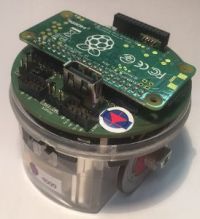
|
This is the Pi-puck extension, compatible with both e-puck and e-puck2. Brochure |
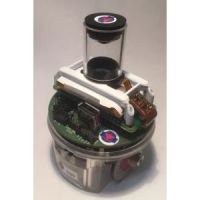
|
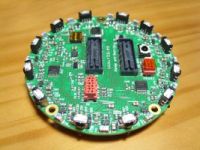
This is the omnivision module V3. |
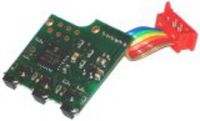
|
|
|
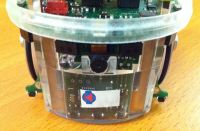
This section gives an overview of others extension modules designed for the e-puck robot. |
|
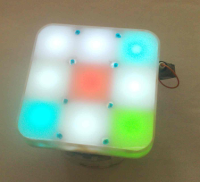
This is the RGB panel, an extension of the robot. |
|
This is Elisa-3, an evolution of the Elisa robot with 5 cm of diameter. It now includes a series of new sensors: 8 IR proximity and 4 ground sensors. The Atmel microcontroller is Arduino compatible. <br |
|
Robotic + art = Autonomous Robot Painting. |
|
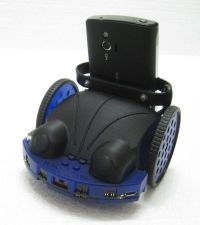
This is Wheelphone, a robotic platform for your mobile phone. Brochure. |
| Error creating thumbnail: Unable to save thumbnail to destination | This is e-puck, an educational desktop mobile robot. Brochure. The e-puck robot is no more produced. It's subsituted by the e-puck 2. |
|
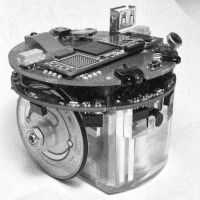
Mounted on top of this e-puck computer are the e-puck extension for Gumstix Overo COM and a small Gumstix Overo computer-on-module.
This combination gives the e-puck robot much more computational power. |
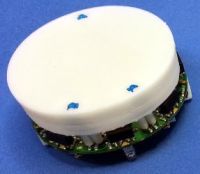
| Error creating thumbnail: Unable to save thumbnail to destination | This is the omnivision module V2, an upgraded version of the omnivisione module, with a greater resolution camera and a dedicated microcontroller.
The omnivision module V2 is no more produced. It's subsituted by the omnivision module V3. |


|
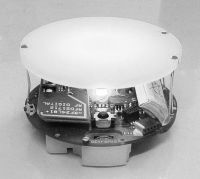
This is Elisa, a small size robot with 5 cm of diameter.
The Elisa robot is no more produced. It's subsituted by Elisa-3, its more powerful successor! |
|
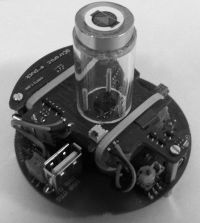
This is the omnivision module, an extension coupled with the e-puck extension for Gumstix Overo.
The omnivision module is no more produced. It's subsituted by the omnivision module V2 |
2 Ask an AI assistant about this documentation
This wiki is also available as plain-text files designed for AI assistants (ChatGPT, Claude, Gemini, ...). Attach the file for your product to a conversation and the assistant can answer your questions based on the official documentation.
2.1 How to use it
- Download the file for your robot or module from the table below.
- Open your AI assistant, start a new conversation and attach the file.
- Copy the prompt below, add your question at the end and send it.
- Check the answer: each answer should cite the wiki page and section it comes from, so you can verify it here.
I have attached the official GCtronic documentation for the [robot or module name].
Answer my question using ONLY the attached documentation.
- Quote the sentence(s) you rely on and name the page and section they come from.
- If the documentation does not contain the answer, reply "Not found in the
  documentation" and do not guess.
- Do not use information about other robots or other versions of this product
  (for example, e-puck1 and e-puck2 are different robots).

My question:
2.2 Files
Last update: 8 October 2026
| Product | File | Approx. size (tokens) |
|---|---|---|
| e-puck2 | e-puck2.md | 51,000 |
| e-puck (first version) | e-puck1.md | 19,000 |
| Pi-puck | pi-puck.md | 11,000 |
| Omnivision Module (V1) | omnivision.md | 2,500 |
| Omnivision Module V2 | omnivision-v2.md | 2,800 |
| Omnivision Module V3 | omnivision-v3.md | 600 |
| Other extensions | other-extensions.md | 3,800 |
| RGB Panel | rgb-panel.md | 2,200 |
| Overo Extension | overo-extension.md | 14,600 |
| Elisa-3 | elisa-3.md | 23,500 |
| Elisa (first version) | elisa.md | 2,300 |
| Autonomous Robot Painting | robot-painting.md | 1,400 |
| Wheelphone | wheelphone.md | 20,000 |
| Complete documentation (all products) | wiki-full.txt | 152,000 |
2.3 Tips
- Use the file for your product, not the complete one: a smaller file fits entirely in the assistant's memory, which gives more reliable answers. Use the complete documentation only for questions spanning several products, and only with assistants that support very long documents.
- Attach the file instead of pasting its link: many assistants cannot open links, or read only part of a long page.
- Images are not included (schematics, pinouts, photos): the files only contain their links. If an answer depends on a picture, check the wiki page.
- AI answers can still be wrong. Always verify important information, such as pin assignments or voltages, on the wiki page before connecting any hardware.
- Programming tools and AI agents that accept a URL can be pointed directly to https://projects.gctronic.com/wiki/topics/wiki-full.txt
- Found a wrong or missing answer? Let us know
3 Video
If you want to contribute to the wiki you are welcome, contact us.