The use of e-puck documents coming from EPFL are submitted to a license
Tutorial for programming the e-puck robot using the Bootloader via Bluetooth
www.e-puck.org -> Download -> Documentation -> Tutorials
http://www.e-puck.org/index.php?option=com_phocadownload&view=category&id=5:tutorials&Itemid=38
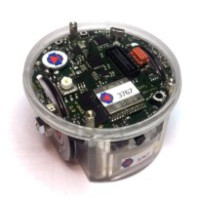
The microcontroller of e-puck is from www.microchip.com, the dsPIC30F6014A
To program in C the robot you can use the integrated development environment (IDE) of the microcontroller of e-puck. Basically you need 3 parts: the IDE for editing, the C compiler, and the downloader.
The relative integrated development environment (IDE): MPLAB IDE (82MB):
www.microchip.com -> Products -> Development Tools -> MPLAB IDE
The C compiler related to MPLAB is the MPLAB C30 (free student edition available to download) (file 23MB):
www.microchip.com -> Products -> Development Tools -> MPLAB C30
The tiny downloader
http://www.etc.ugal.ro/cchiculita/software/picbootloader.htm
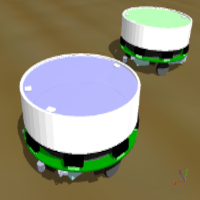
Webots is intended to support fully e-puck: from simulation, to compiling and download. It includes some graphic programming; it is 3D and simulates physics.
For the first demos, you can download the evaluation version (free) of Webots:
http://www.cyberbotics.com/products/webots/download.html
Purchasing the EDU version (~320 CHF) you can reprogram the simulated robot and remote control the real robot.
A nice demo to start with: (binding together demos from SWIS, LIS and ASL lab): DemoGCtronic-complete.hex, DemoGCtronic-complete.zip
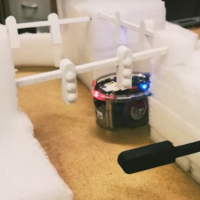
With the mode selector it's possible to activate reactions from acceleration or sound; run obstacle avoidance or wall follow; communicate with a host PC to show all the sensors data including VGA camera.
The interface on a Windows PC is the e-puck monitor (version 1.2). Or the newer version 2.0 (source code) .
All the software related to e-puck is available at www.e-puck.org. The embedded software running on the e-puck is continuously extended and managed under GNA using Subversion (SVN). Here a current snapshot of the full SVN tree (August 2008).
The new production of June 2008 includes a newer camera which is slightly different and need a new driver. The latest software support both old and new camera. If not done already, synchronize your libraries with https://gna.org/projects/e-puck/.
There are no other changes influencing the software of the robot.